
Beta Cell Lab Notes
Your glucose, insulin, food, and heart rate on one timeline — so you can see why your blood sugars changed during your workout.


Free, with no paywalls or ads.
Prefer paper? Download a blank logbook to print and fill in offline.
Stop guessing and start seeing.
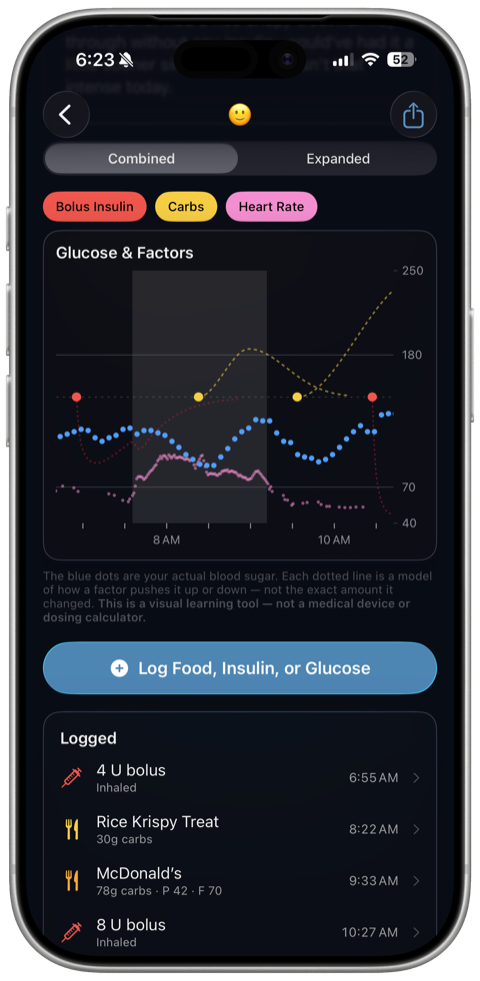
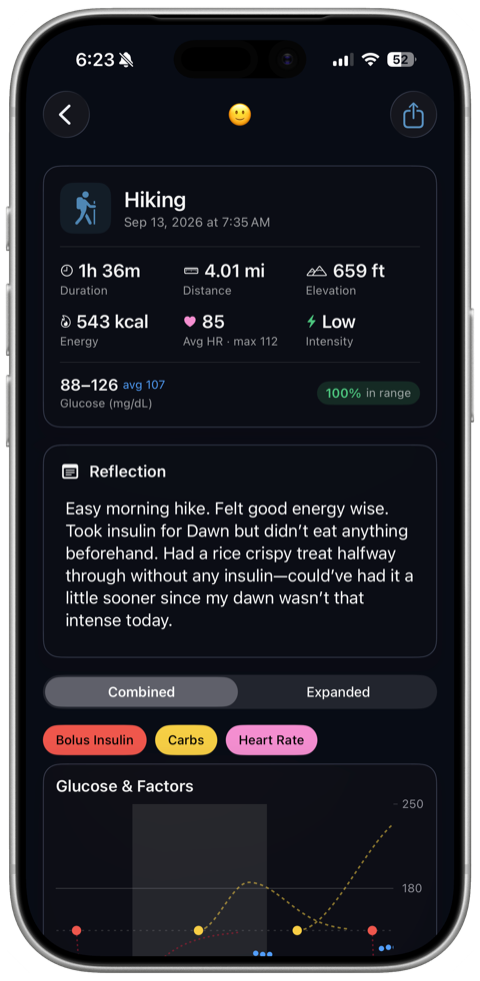
Your workout already lives in your phone’s health data, and so do your glucose and heart rate. What’s missing is everything you did around it. Log your food, insulin, and basal changes, and the app lays them over your glucose and heart rate on one synchronized timeline — the pre-run snack, the dose two hours earlier, the temp basal at the trailhead, beside what your blood sugar was doing right then.
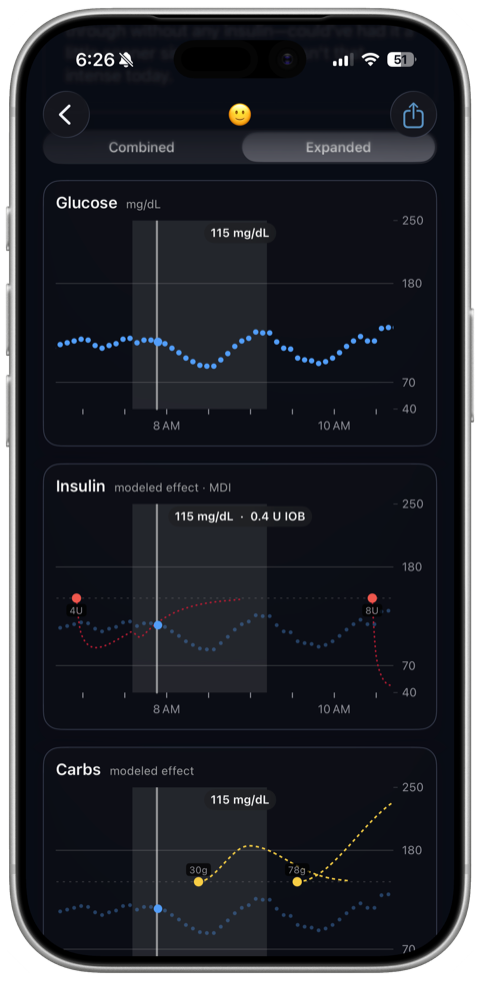
Each factor draws as its own curve, so you can tell them apart at a glance:
- Insulin: dips as the dose takes hold and tapers as it wears off. See how much insulin is on board at any moment.
- Carbs: a bell that rises and falls with digestion, running longer for a higher-fat meal.
- Basal: eases into its new level, because a temp basal doesn’t arrive all at once.
- Heart rate: with your training zones, since intensity is a variable too.
Scrub for exact values, pinch into the interesting few minutes, and switch between one combined chart and one chart per factor. Every workout gets time in range, average and range, and an intensity read from your heart-rate zones.
And not only workouts. Add a meal with a photo, a night’s sleep (or bring it in from your phone’s health data), any other activity, or a basal, carb ratio or correction factor test, and each gets the same chart, with a guide to running each test. Every chart labels whatever else you logged in its window, so the snack before a run sits right beside it.
Reflect while it’s fresh.
The chart tells you what happened. Only you know how it felt.
Tag each workout with a quick emoji — good, fine, or rough — and note what you’d change while it’s still fresh. Search your reflections later to find every session you described the same way, and they export with the workout when you share it.
Patterns show up in your own words long before they show up in a number.
Share it with your care team.
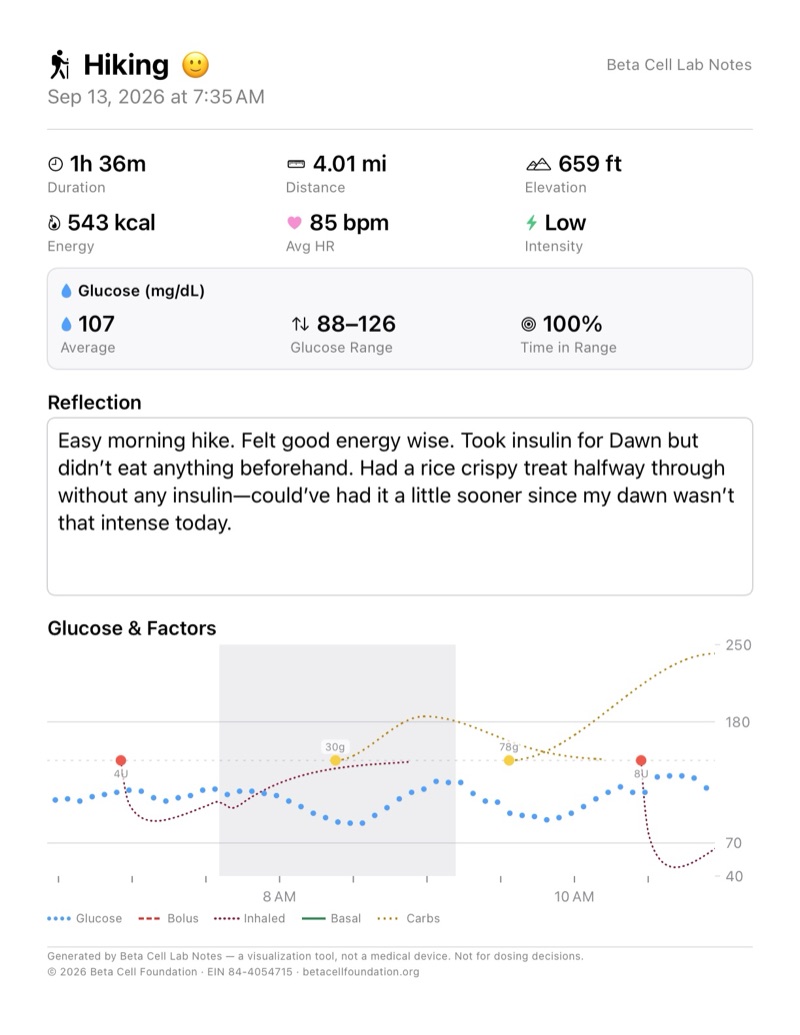
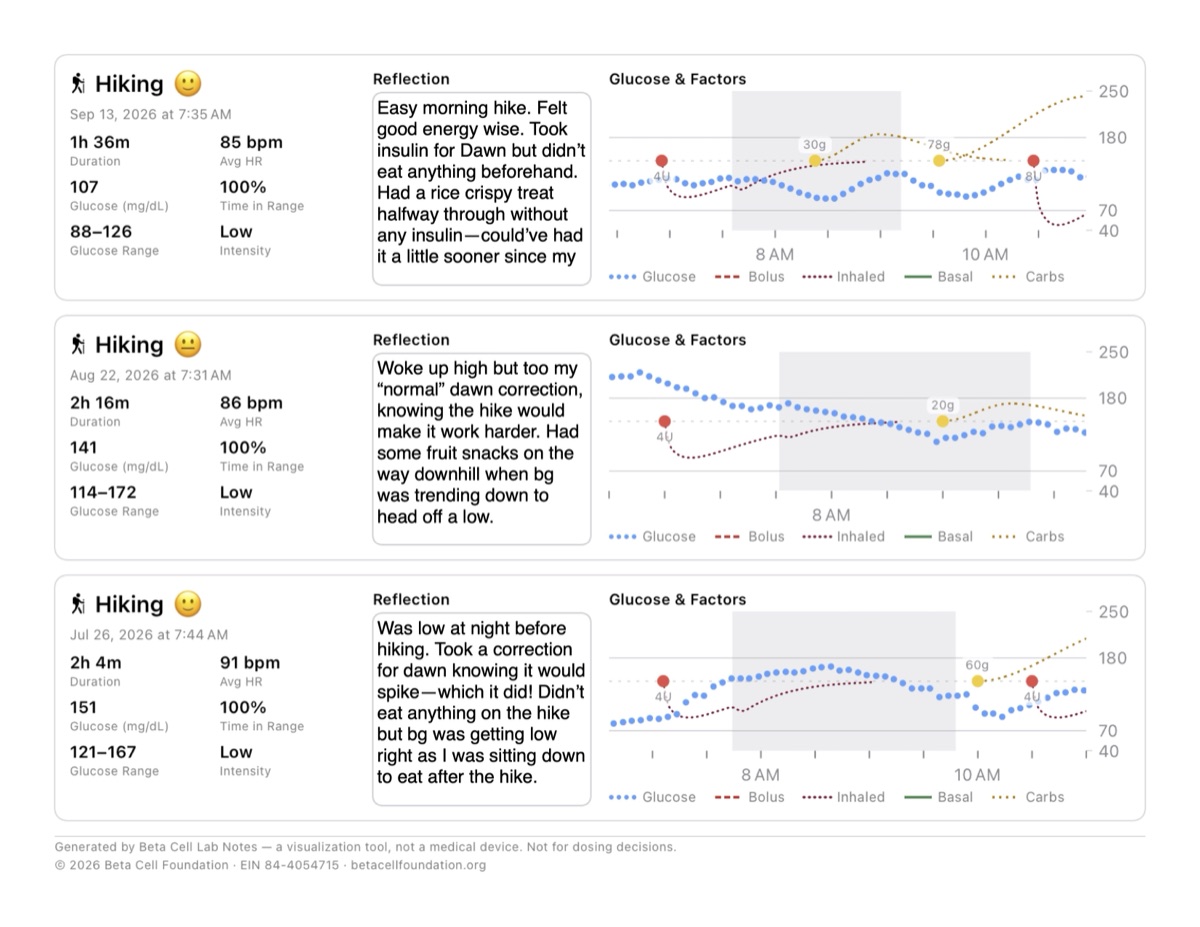
Export any entry, or a batch of them, as a PDF or an image. Each one carries the chart, your stats, and your reflection, laid out for a printed page rather than a phone screen.
Two layouts. Detail gives one workout a full page, with room to write on it. Compact fits three to a page, for spotting a pattern across a week.
Print them and mark them up offline — circle the dip, note what you’d try next time — or send the image to your educator or endocrinologist ahead of an appointment, so the conversation starts from the same picture.
Prefer to start on paper? The same two layouts, blank, to print and fill in by hand.
Log from your wrist.
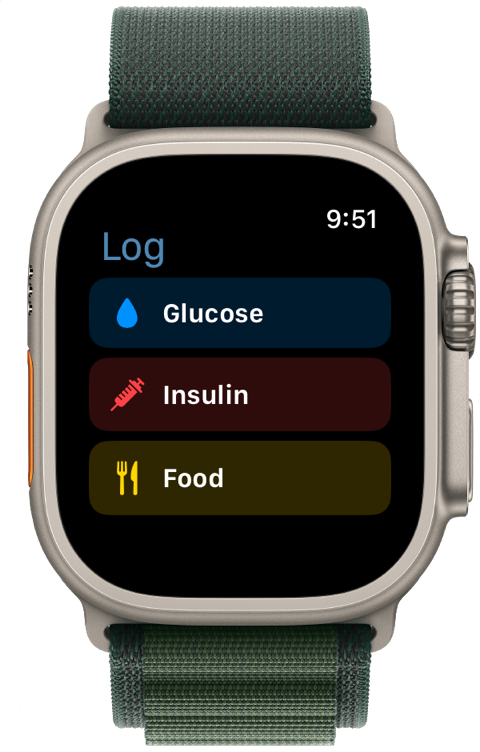
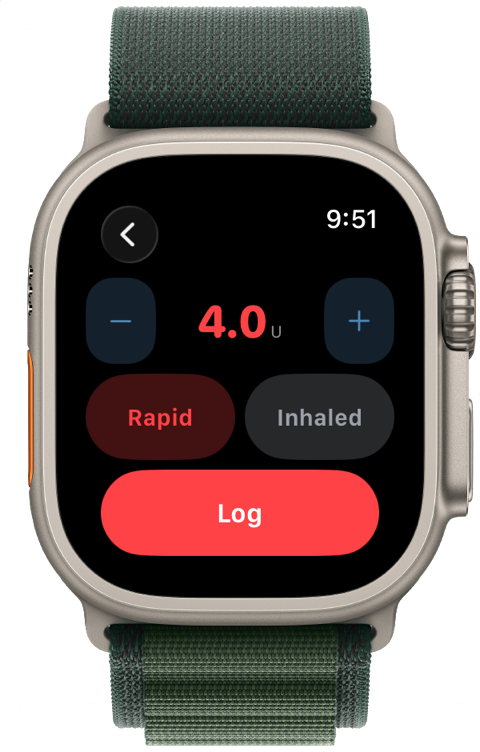
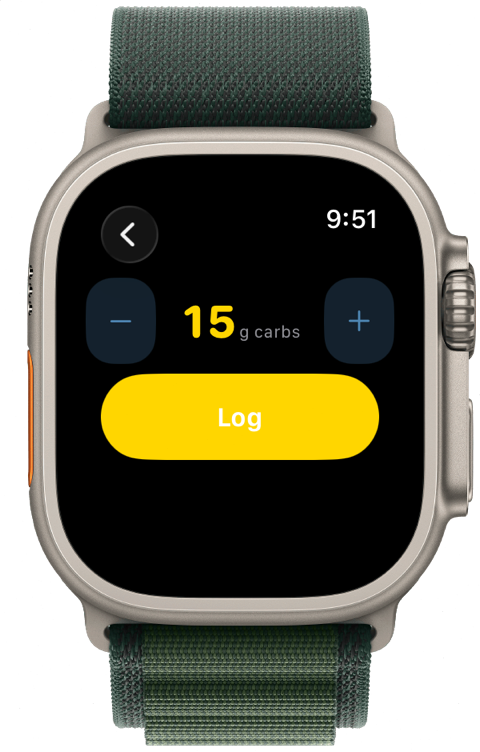
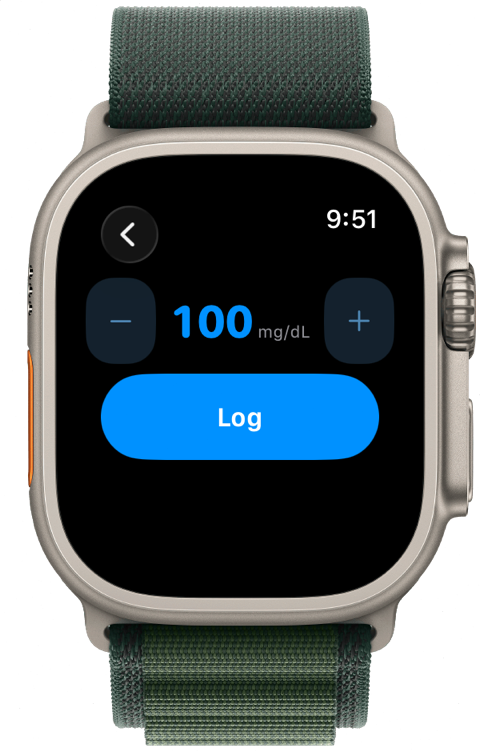
The Apple Watch and Wear OS companions log glucose, insulin, and food in a couple of taps, so you never miss a factor mid-run or at post-workout brunch.
Works with your setup.
It works with as much or as little data as you have.
- Your CGM: sign in to Dexcom, FreeStyle Libre, Medtronic, Eversense or Nightscout for readings within minutes — on the app’s Home and your charts.
- No CGM: enter readings by hand and they anchor your chart just the same.
- No sports watch: add a workout manually with the details you know, and leave the rest blank.
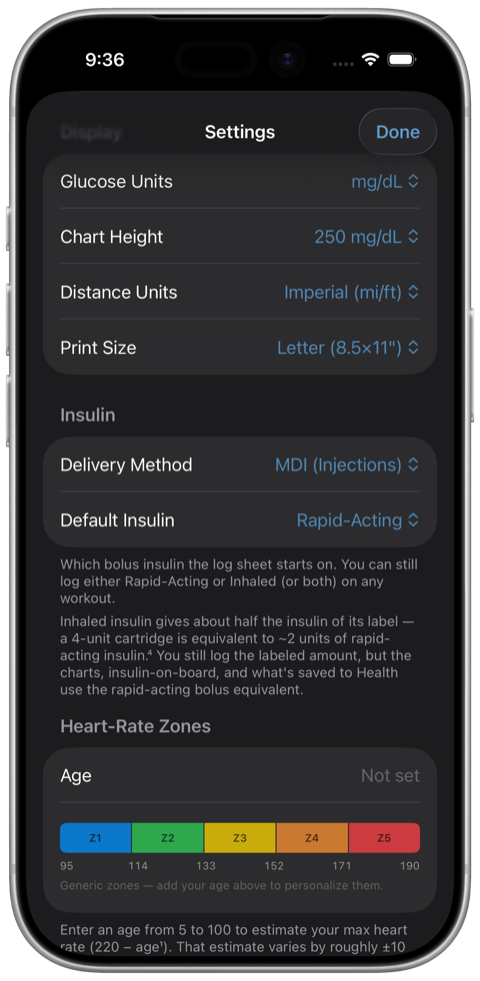
- MDI: logs your boluses with rapid-acting or inhaled insulin.
- Manual insulin pumps: log your basal rate changes as either a % or U/hr.
- Automated (AID) pumps: log when you turned exercise-mode on and off.
Built around your judgment.
This app tracks and shows you patterns. It does not tell you what to do. No dosing suggestions, no predictions, no nudges. Every insight is yours, and every decision stays between you and your care team — because informed self-knowledge is the most powerful tool a person with type 1 diabetes has.
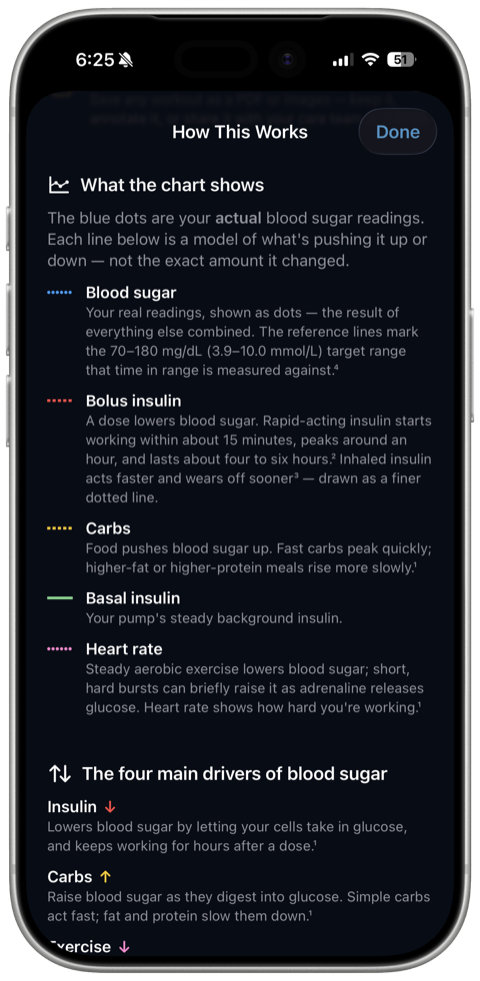
It explains what every line means and where the numbers behind it come from, so you can read the chart yourself. That is the same idea behind everything we teach — the app is where the practice happens.
Private by design.
Your health data stays on your devices. It’s never sent to us — there is no account to create and no server holding your glucose history.
Free, with no paywalls or ads.